Collaborative Course Authoring: What Teams Actually Need
Every collaborative authoring page says the same thing: multiple people, working together, in real time. It is a good demo. Two cursors moving on the same screen looks like the future.
It is also not the problem most L&D teams have.
Ask a team of four instructional designers what actually costs them time and you get a different list. Nobody knows which version of the induction course is current. The house-style callout box exists in five slightly different forms because everyone built their own. A contractor finished in March and their three courses are still in an account nobody can log into. And finance has four separate invoices for the same software.
None of that is fixed by simultaneous editing.
The four things bundled under one word
“Collaborative authoring” covers at least four separate capabilities, and vendors rarely separate them. Worth doing so before you compare anything.
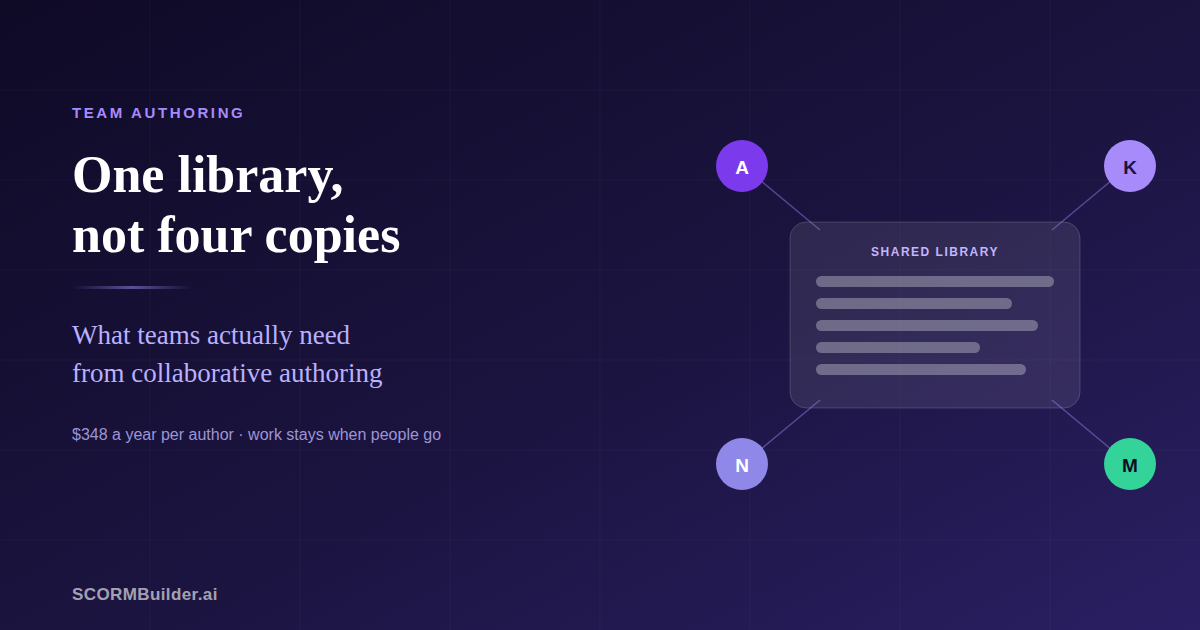
A shared library. Everyone on the team sees the same courses. This sounds basic and is the one that matters most — without it, a team is several people with separate accounts emailing files.
Simultaneous editing. Two people in the same course at once. Genuinely useful on very large projects with tight deadlines. Rarer than the marketing suggests, because two designers are usually working on different courses.
Review and comment. Stakeholders and SMEs commenting on a draft without editing it. Now standard, and usually free of licence cost — which it should be.
Reusable shared assets. Blocks, templates and scenarios the whole team draws on. The quiet one that keeps a course library looking like it came from one organisation.
Most teams need the first and the fourth urgently. The second is a nice-to-have that dominates the sales conversation.
The question nobody asks until it is too late
Who owns a course — the person who built it, or the team?
This is worth establishing before you buy, because it is invisible in a demo and expensive afterwards.
Where content is tied to the individual, offboarding becomes a procedure. Articulate’s own documentation is instructive here: content must be transferred before the person is removed, the new owner has to already be a team member, a removed user’s content remains viewable but not editable for six months, and — the part that catches people — a user who is still an admin cannot transfer their own content. Several paragraphs of consequence for one design decision.
Where content belongs to the team, none of that exists. Someone leaves; their courses stay; there is nothing to transfer.
For agencies and anyone working with contractors, this is not a detail. It is the difference between offboarding being an afternoon of admin and being a checkbox.
What it costs
Team authoring is almost always priced per author, per year. The spread is wider than most software categories.
| Tool | Per author, yearly | Five authors |
|---|---|---|
| Articulate 360 Teams | $1,749 | $8,745 |
| iSpring Suite | from $770 | from $3,850 |
| Adobe Captivate | ~$480 | ~$2,400 |
| SCORMBuilder.ai | $348 | $1,740 |
Elucidat, Gomo and dominKnow quote on request rather than publishing a price, which generally means enterprise territory and a conversation before a number.
Figures from each vendor’s own site in August 2026. Prices vary by region and change; check before deciding.
One thing to check on any per-seat plan: whether a seat grants access on its own, or whether each person also needs a personal subscription. It should be the former — you are buying seats, and the people on them should be able to work.
A shorter list of questions
If you are evaluating tools for a team, these five are worth more than a feature matrix:
- Does everyone see the same library, or do we each have our own?
- Who owns a course when its author leaves — and what do we have to do about it?
- Do reviewers need a paid seat?
- Can a shared block be updated once and change everywhere it is used?
- Can one person belong to more than one team, if we work with several clients?
Notice that simultaneous editing is not on the list. Ask about it if your work genuinely needs it — two people finishing one course under deadline pressure is a real scenario. Just be honest about how often that happens, versus how often somebody cannot find the current version of something.
Where we stand on this
Worth being direct, since this is our own blog.
SCORMBuilder.ai does the shared library, the shared blocks and scenarios, team-owned content, and free reviewer links. It does not do simultaneous editing: whoever opens a course holds it, and anyone else sees who is in there and can take over when they have finished.
That is deliberate. A course saves as a single document, so two simultaneous editors would mean one person’s save quietly overwriting another’s. A visible handover is the honest answer to that constraint — and it is worth knowing that the tools which do offer real-time editing have the same problem in places. Articulate’s documentation tells teams that theme and settings changes “can potentially override those of another user” and asks them to coordinate.
If your team needs genuine simultaneous editing, buy a tool that has it. If what you actually need is one library, consistent branding, and work that does not leave with the person who made it, that is a cheaper problem to solve than the market implies.
See the team plan — $29 per seat, free for 14 days.
Frequently Asked Questions
What is collaborative authoring in eLearning?
Several people building and maintaining the same body of course content, rather than one person owning a file. In practice it covers four different things that vendors bundle under one word: a shared library everyone can see, simultaneous editing of the same course, review and comment workflows, and reusable assets that stay consistent across a team. Most teams need the first and the fourth far more urgently than the second.
Do L&D teams need real-time simultaneous editing?
Less often than you would expect. Two instructional designers rarely need to type into the same course at the same minute — they are usually working on different courses, or on different sections by agreement. The problems teams actually report are not knowing which version is current, rebuilding the same branded blocks, and losing access to work when a contractor's engagement ends. None of those are solved by simultaneous editing.
What happens to courses when someone leaves the team?
It depends entirely on whether the tool ties content to the person or to the team, and this is worth checking before you buy. Where content belongs to the individual, removing them means transferring every course first, and some tools put the content into a read-only state for a period afterwards. Where content belongs to the team, removing someone changes nothing except their access.
How much does team authoring cost?
Almost always per author, per year, and the range is wide. Articulate 360 Teams is $1,749 per user annually — $8,745 for five authors. iSpring Suite starts around $770 per user. Elucidat, Gomo and dominKnow quote on request, which generally indicates enterprise pricing. SCORMBuilder.ai is $29 per seat monthly, or $1,740 for five authors a year. Figures from each vendor's own site in August 2026; check for current prices.
Should reviewers and SMEs need a licence?
No, and most tools agree on this. Someone leaving comments on a draft is not authoring, and charging an author seat for a subject-matter expert who opens the course twice is how review gets skipped. Look for review links that work without an account, which is standard now.
How do you keep branding consistent across a team?
A shared component library, used by everyone, rather than a style guide people are asked to follow. If each author builds their own version of the house callout box, you get five slightly different callout boxes and no way to update them centrally. The test is whether a change to a shared block propagates, or whether someone has to open every course.