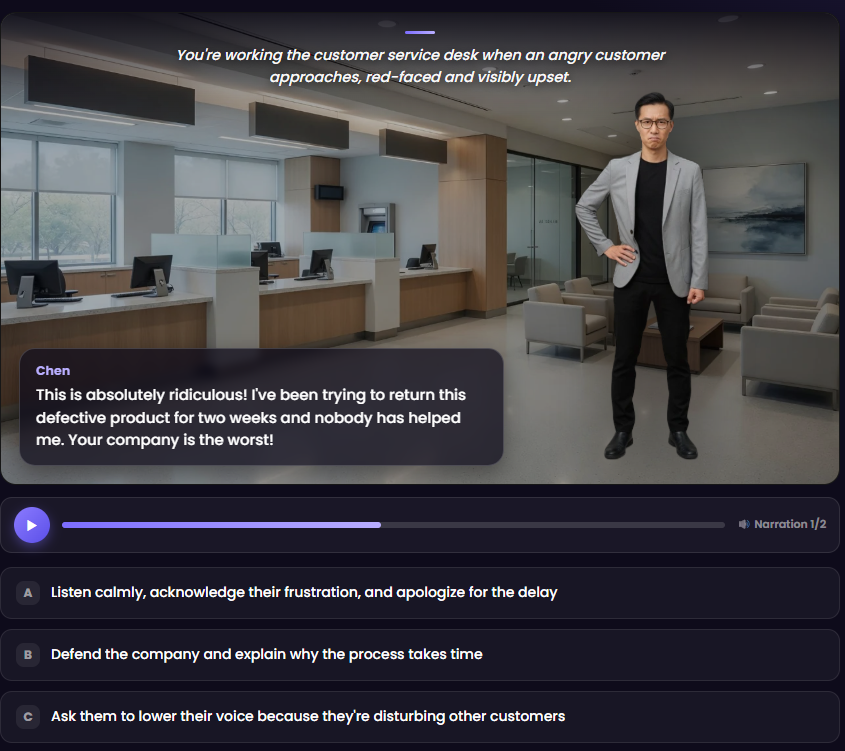
Build interactive branching scenarios where learners make decisions and live with the consequences. Describe your situation and AI drafts the whole story — then bring it to life with character avatars, real backgrounds, and voice narration. Practice beats theory, and it's built right into SCORMBuilder.
Real skills are practiced, not memorized. In Scenario Studio, each scene presents a moment and a few choices — and every choice leads somewhere different, all the way to an outcome. Learners see how their decisions play out, in a safe space.
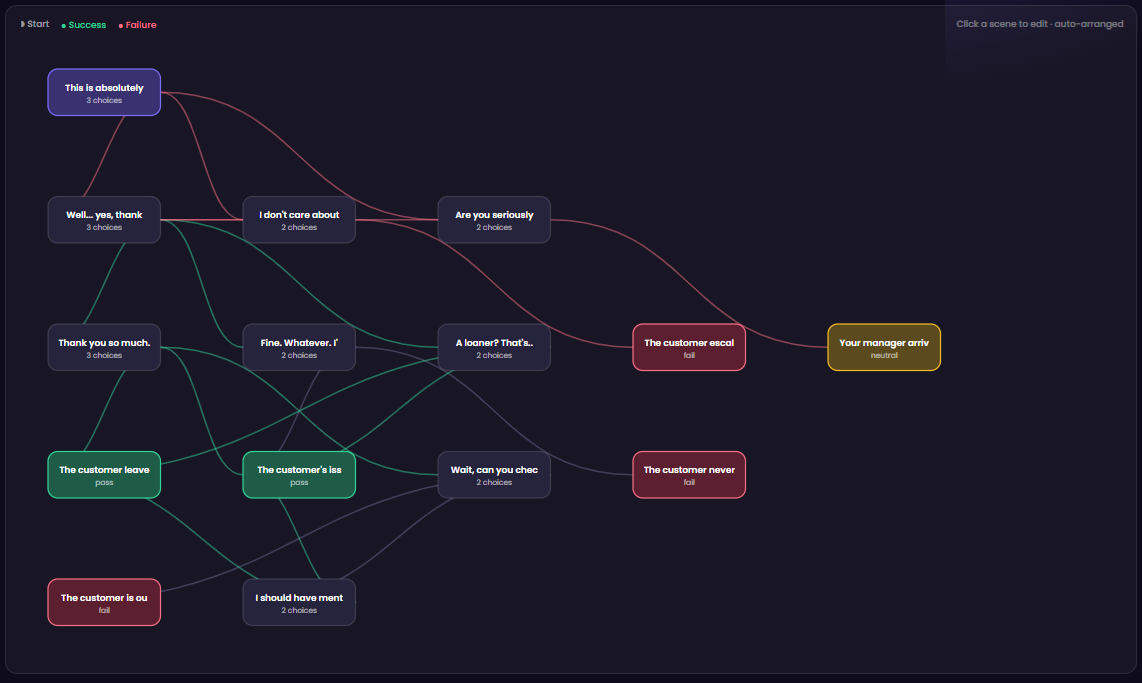
The branching map lays out every scene and every path — success in green, failure in red — so you can spot gaps and dead ends before you publish.

Describe the situation — "an angry customer at a returns desk" — and AI drafts the full branching scenario: scenes, dialogue, choices, and consequences. Then pick your cast from a built-in library of characters and locations, and generate natural voice narration in one click.
A good role-play is worth reusing. Save your scenario once, then drop it into any course at any point — onboarding, compliance, sales, or support. It exports as part of your standards-compliant package and plays in any LMS.
Build a branching scenario once, reuse it across every course.
Open Scenario Studio and write a one-line prompt. AI drafts the full branching scenario — scenes, dialogue, choices, and outcomes.
Pick characters and backgrounds, tweak the choices, add voice narration, and preview it exactly as a learner will. Story Doctor catches any gaps.
Insert your scenario into any lesson. It exports to clean SCORM that plays in Moodle, SCORM Cloud, and any LMS — characters, backgrounds, and audio included.
Scenario Studio is included with SCORMBuilder — one plan, everything in it.
Get Started — $29/mo →