What Happens to Your Rise 360 Courses When the Subscription Ends
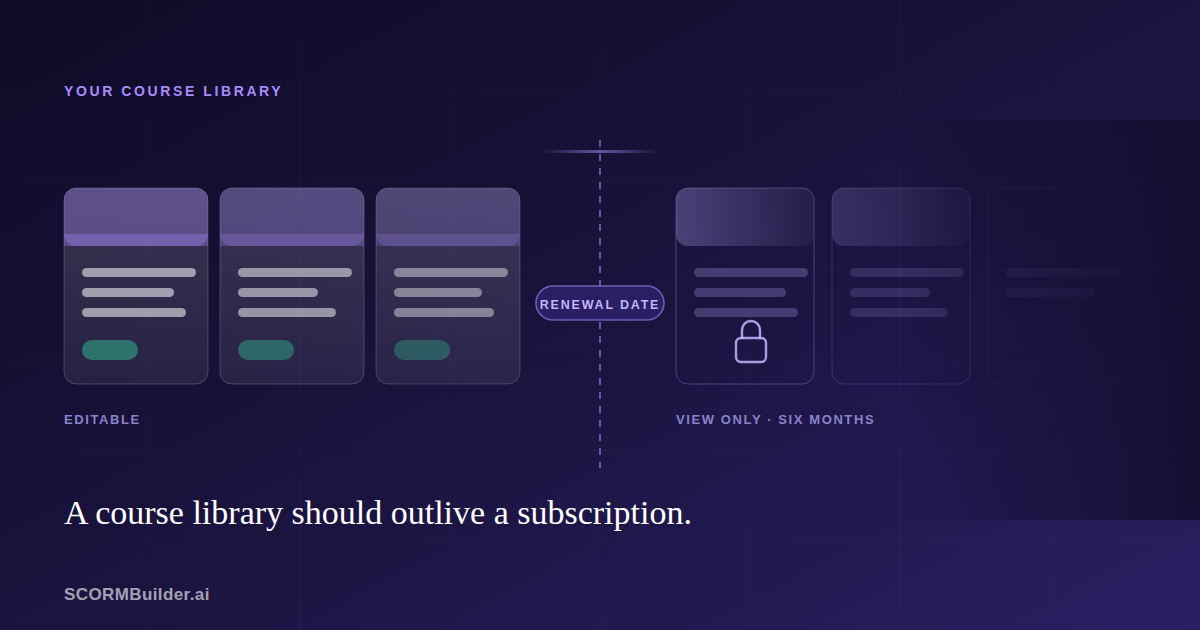
Somewhere in your calendar there is a renewal date, and on the other side of it is a question nobody enjoys: what happens to the courses?
Not the live ones sitting in your LMS. Those are fine. The question is about the twenty, fifty, two hundred courses inside Rise 360 — the ones you would need to open next time a policy changes or a product name does.
The honest answer is in Articulate’s own documentation, and it is worth reading before the invoice arrives rather than after.
The six-month clock
Articulate’s Rise 360 FAQ puts it plainly. Your courses stay intact on their servers for up to six months after a paid subscription or trial ends. Anyone with a direct link can still view them. Anything you already published to your own LMS or web server carries on working exactly as before.
Then comes the line that matters: “You won’t be able to edit or download your Rise 360 courses after your trial or subscription ends.”
So the sequence is: the term ends, editing and exporting stop the same day, viewing continues for roughly six months, and then you are relying on whatever you took with you. Renew with the same Articulate ID inside that window and everything comes back.
It is a clearly stated, reasonable policy. It is also the reason a lot of renewals get approved without much discussion.
Read-only is not the same as yours
A read-only library sounds survivable until you need something from it.
A regulation is updated and one paragraph in a compliance module is now wrong. A department is renamed. A logo changes. Someone wants three lessons from an old induction course dropped into a new one. None of that is a big project — in a working tool each one is ten minutes.
Without editing, every one of them becomes the same conversation: rebuild it, or renew.
”Export before your term ends” is the right advice — and it only half-works
Articulate recommends exporting before the term ends, and that advice is sound. Do it. But be clear about what you end up holding.
You end up with SCORM zips. They will play in any LMS for as long as you want, which is genuinely valuable — your published training does not depend on anyone’s subscription.
What they will not do is open. Rise cannot reimport its own export. Most authoring tools treat a SCORM package as a finished artefact, something to upload and launch, not something to take apart. So the zip sitting in your archive folder is a perfect preservation of a course you can no longer change.
That gap between have and can edit is the thing the renewal is quietly buying back.
What the renewal is actually paying for
Two things, and it helps to separate them.
The first is the tool — Rise is genuinely good at what it does, and if your team is producing courses every month, paying for it is a straightforward decision.
The second is access to the back catalogue. And that part is worth pricing honestly. Articulate currently lists the Personal plan at $1,449 per user, per year and AI Teams at $1,749, billed annually. If your team makes four courses a year but holds sixty, most of that renewal is not buying authoring capacity. It is buying the key to a filing cabinet you already own the contents of.
The alternative has always been rebuilding, and nobody does it, because the arithmetic is brutal. A ten-lesson course retyped by hand — text, images, quiz questions, accordions, the checking afterwards — is six to twelve hours of somebody’s week. A library of fifty is two to three months. Set against that, $1,449 is not a hard decision. It is barely a decision.
The part that changed
The courses were never actually locked. A Rise SCORM export contains the whole course as structured data — every lesson, every block, every image, every quiz question and its feedback. It always has. It simply had nowhere to go.
SCORMBuilder now imports that export and gives it back to you as an editable course. Headings, paragraphs, images, galleries, accordions, tabs, process steps, flashcards, knowledge checks with their per-answer feedback, fill-in-the-blank, sorting activities, labelled graphics, timelines, video and attachments — they arrive as working blocks, not as a wall of text.
It was built and measured against two real exports four years apart: 594 blocks, 43 different block types. Seven blocks out of the 594 needed rebuilding by hand, and every one was listed by name and lesson in the report at the end, so you know where to look instead of hearing about it from a learner. The 2022 package was a 27-lesson Arabic course in a format Rise no longer uses, and it came across right-to-left — because the old courses are precisely the ones whose source files are long gone.
If you want the mechanics, here is what is actually inside a Rise package. If you want the short version: the data was always portable, and a course you exported in 2022 is still openable today.
Before your renewal date
Four things worth doing while you still have the export button, in order of how much you will regret skipping them:
- Export every course you might ever want again, as SCORM. Not just the active ones. This costs you an afternoon and it is the only step that stops being possible later.
- Keep the zips somewhere shared. An archive on one laptop is not an archive. This is how libraries disappear quietly when someone changes job.
- Import one real course and look at it. A real one, with the awkward blocks in it — not a test course. Ten minutes tells you whether the rest of the library can follow.
- Then decide about the renewal, knowing what the number is actually for.
Even if you renew, you are better off having done all four. An export you can reopen is a fallback you did not have last year.
If the subscription has already lapsed
Check the date it ended. Inside six months, renewing with the same Articulate ID restores full access — worth one month’s subscription to export everything properly, then leave.
Past that window, work with what you have. The published SCORM packages in your LMS are usually still there, and a published package is enough: the import reads the zip, not your Rise account. Courses whose authors left the organisation years ago are exactly the case this handles.
What your library is worth keeping in
None of this is an argument that Rise is bad software. It is an argument that a course library should outlive a subscription, and that the two should be separate decisions rather than one.
Try the import free for 14 days — bring one real Rise course, see what comes across, and make the renewal call with the answer in front of you. $29/month afterwards, on one plan. Also worth reading: how the two tools compare.
Frequently Asked Questions
Can I still access my Rise 360 courses after my subscription ends?
You can view them, for a while. Articulate keeps courses on its servers for up to six months after a paid subscription or trial ends, and anything already published to your own LMS or web server keeps running. What stops is editing and exporting — those end with the term.
Can I export a Rise course after the subscription has expired?
No. Articulate's own guidance is to export before the term ends, because the download option goes away with it. If your renewal date is approaching and you are undecided, export first and decide afterwards.
Are my Rise courses deleted?
They are kept intact for up to six months after expiry. Renew with the same Articulate ID inside that window and you get everything back. After it, assume what you exported is what you have.
What do I actually have once I've exported?
A SCORM zip. It plays in any LMS and it holds the entire course as structured data, but Rise won't reopen it and most authoring tools treat it as a finished file rather than something to edit. That gap is what makes people renew.
Can an exported Rise package be made editable again?
Yes. SCORMBuilder imports a Rise SCORM export and rebuilds it as an editable course — text, images, quizzes, accordions, flashcards, galleries and the rest. Across two real courses totalling 594 blocks, seven needed rebuilding by hand, and every one of them was named in the report.
I no longer have the original Rise files. Does that matter?
No. The published SCORM package is enough. That is often all that survives when the person who built a course has left and their Articulate seat went with them.
How much is an Articulate 360 subscription?
As of September 2026, Articulate lists the Personal plan at $1,449 per user per year and AI Teams at $1,749 per user per year, billed annually. SCORMBuilder is $29 a month on a single plan.