AI quiz generator

Generate a quiz from your own documents

Upload a PDF, Word document or PowerPoint deck, or paste your text, and AI writes quiz questions from that material. Edit every question, set a pass mark, and export SCORM so each learner's score lands in your LMS.

3
Question types
4
Export formats
$29
Per month
fire-safety-policy.pdf → quiz
Question 2 of 5
Pass: 70%
What is the first step in a fire evacuation?
Run to the nearest exit
Alert others and trigger the fire alarm
Gather personal belongings
Call the fire department

Why most AI quiz generators fall short for training

Writing questions quickly is the easy part. The quiz also has to test your material and report a result.

Questions from the wrong source
Most AI quiz tools take a topic name and write from general knowledge. Learners can answer without reading your course, and some answers will contradict your own procedures.
No score in the LMS
A web quiz or a PDF cannot report a result. For compliance training you need a pass or fail on the learner record, not a worksheet.
Hours of writing by hand
Each question means a stem, one right answer and three wrong answers that are believable. Forty questions take most of a day.

How to generate a quiz with AI, step by step

1
Add your material
Paste the course text, or upload the PDF, Word document or PowerPoint deck the training is based on. The questions come from that material, not from the internet.
2
Choose how many and which types
Pick the number of questions and the mix of multiple choice, true/false and multi-select. Five suits a knowledge check between sections; fifteen to twenty-five suits a final assessment.
3
Review and edit
Read every question, rewrite weak wrong answers and delete anything you would not want to defend. Nothing is locked.
4
Set the pass mark and export
Choose the score a learner needs, then export SCORM 1.2, SCORM 2004, xAPI or cmi5. Upload the zip and the LMS records the score and the pass or fail.
Scored by your LMS

A quiz that reports a pass or fail

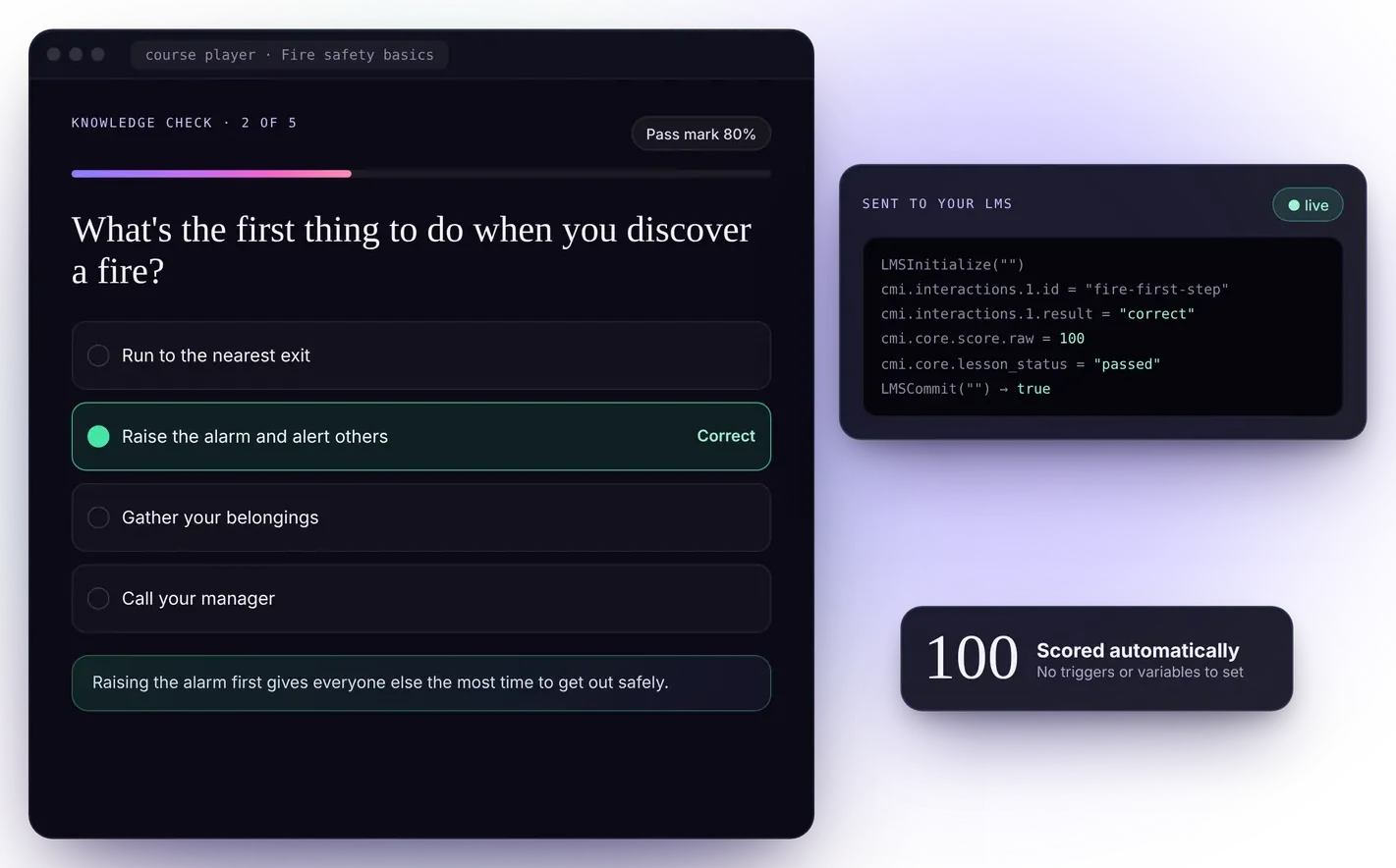
The quiz is part of a SCORM, xAPI or cmi5 package, so your LMS receives the score and the result for every learner. It sits in the same reports as the rest of your training, with no spreadsheet to reconcile.

  • ✓Configurable pass mark
  • ✓Score and pass or fail recorded in the LMS
  • ✓One question at a time, with a progress bar and results screen
  • ✓Works on phones as well as desktops
A quiz in the course player scoring itself and reporting the result to the LMS

More ways to check understanding

The AI quiz is one of 58 block types. Mix question formats inside the same course.

AI Quiz
Questions written from your own content, one at a time with a progress bar and a results screen.
Quiz
Write your own single-answer or multiple-answer questions by hand.
In-video quiz
Pause a video and ask a question at the moment it matters.
Flip cards
A question on the front and the answer on the back, for low-stakes recall practice.
Branching scenario
Test judgement with choices and consequences, built in Scenario Studio.
Math quiz
Generated arithmetic questions for numeracy practice.

Who this suits, and who it does not

A good fit if…
  • Your training is based on documents you already have
  • The score has to land in your LMS, for compliance or certification
  • You want to review every question before learners see it
  • You need the quiz inside a course, alongside the content it tests
Look elsewhere if…
  • You want a one-off trivia quiz or a live classroom game
  • You need a large proctored exam with question banks drawn at random

Frequently asked questions

What is an AI quiz generator?

A tool that writes quiz questions for you. SCORMBuilder writes them from your own material, such as a PDF, a Word document, a PowerPoint deck or pasted text, so the quiz tests what your course teaches rather than general knowledge.

Can it make a quiz from a PDF?

Yes. Upload the PDF and the AI writes the questions from its text. Word documents, PowerPoint decks and pasted text work the same way. For a long manual, upload the chapter you want to assess.

Which question types does it write?

Multiple choice, true/false and multi-select. You choose the mix and the number of questions, and you can add your own questions by hand alongside the generated ones.

Will the score show up in my LMS?

Yes. Export the course as SCORM 1.2, SCORM 2004, xAPI or cmi5 and the LMS records the score and whether the learner passed. It works in Moodle, Canvas, Blackboard, TalentLMS, Docebo, Cornerstone and any other compliant LMS.

Can I edit the questions the AI writes?

Yes, every question, answer and wrong answer is editable. Treat the AI output as a first draft: it removes the slow writing, and you decide what is worth assessing.

How much does it cost?

The quiz generator is included in the single plan at $29 a month, with a 14-day free trial. There is no separate fee for AI questions.

Want to write better questions? Read our guides: how to create quiz questions from your own content and how to turn a quiz into SCORM.

Building the whole course? Start from a PDF, Word document or PowerPoint deck, or use the SCORM creator.

Turn your material into a scored quiz

Upload a document, let AI write the questions, and export SCORM for your LMS. 14-day free trial, then $29 a month.

Generate a quiz free →